Purpose:
To explain how users can add roles to an existing Approval Flow for Inspection, Bill, Change Order, or BOQ in livSYT.
Step-by-Step Instructions:
Note:
- A Delay Flow includes only three roles — Requester, Forwarder, and Approver. No other roles can be added to this flow.
1. Open Project Configuration
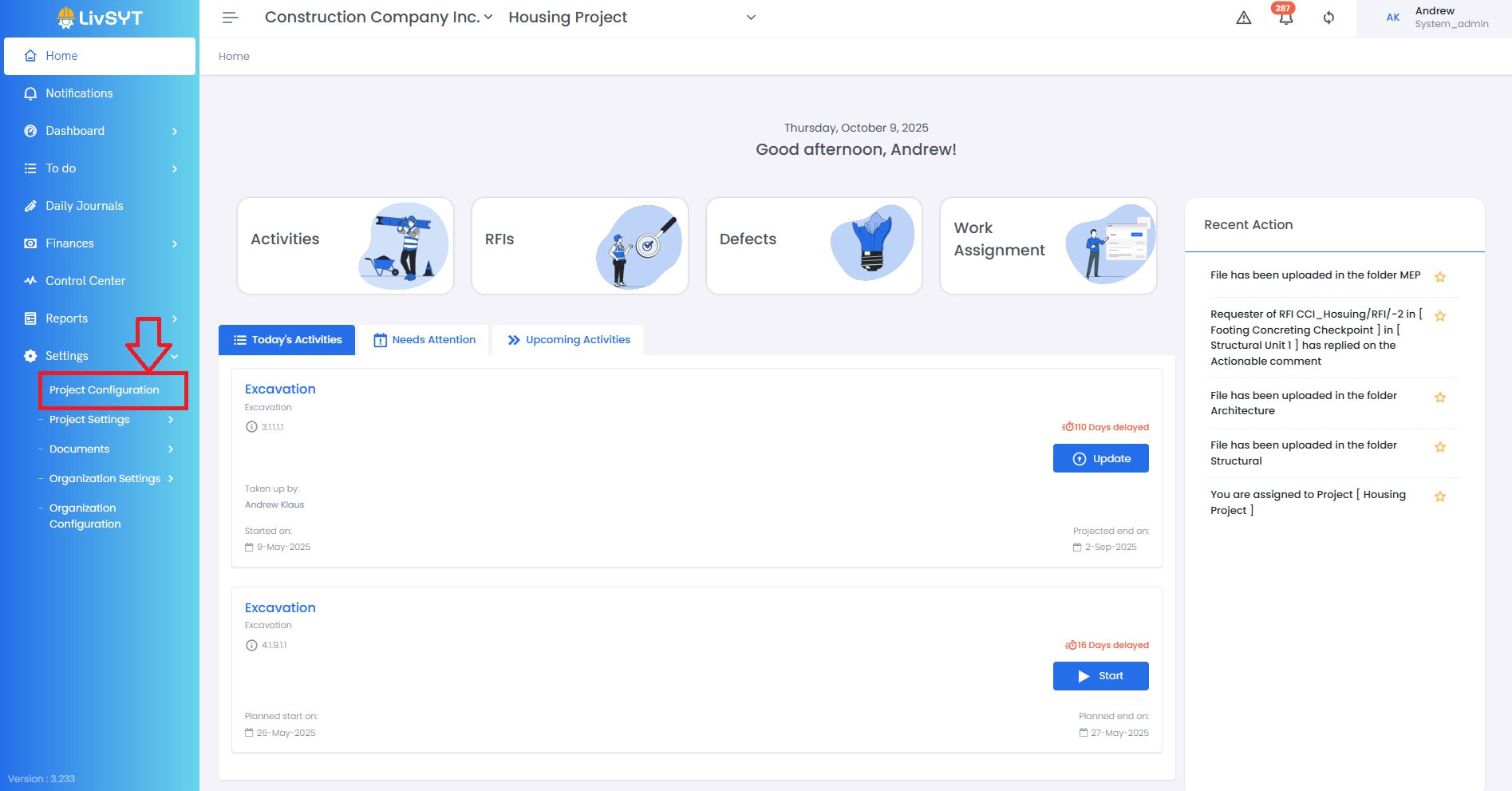
- Go to Settings from the Home Page.
- Click on Project Configuration.
2. Access Approval Flow settings
- Under Project Configuration, go to Inspection / Bill / Change Order / BOQ Approval Flow.
3. Select the flow
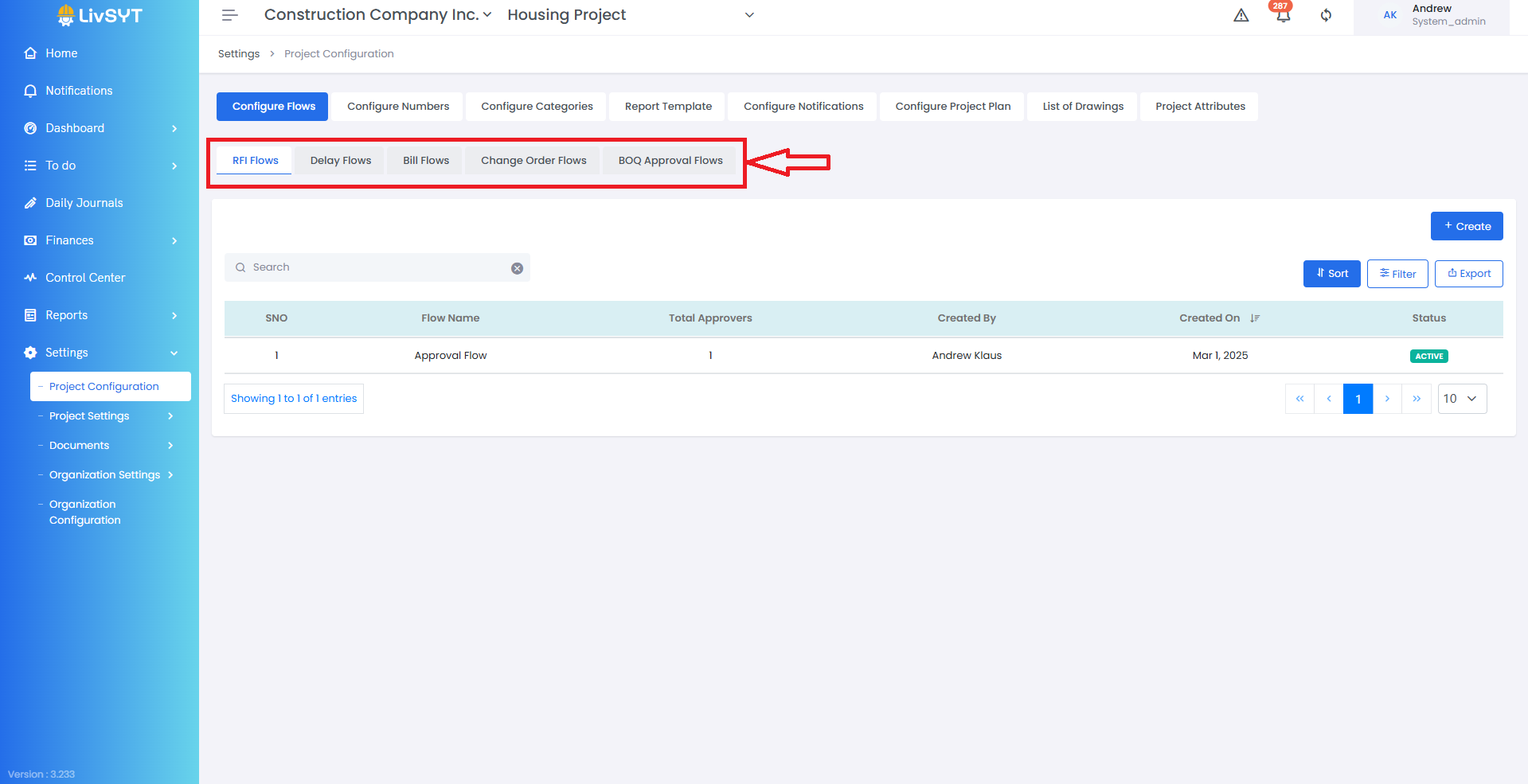
- Click on the specific Flow Name where you want to add a role.
4. Add a new role
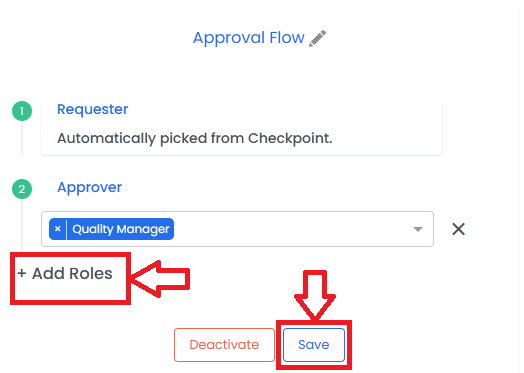
- A panel will open on the right side.
- Click on Add Roles at the bottom of the panel.
- Select the desired Role from the list.
- Click on Save to confirm.
Tips & Best Practices:
- Always confirm which users belong to which role before assigning.
- Avoid editing a live Approval Flow without checking if active approvals are in progress.
- For Delay Flow, remember only Requester, Forwarder, and Approver roles are supported.
- Communicate any Approval Flow changes to your project team to prevent confusion.
- For any issues, contact LivSYT Support.
Was this article helpful?
That’s Great!
Thank you for your feedback
Sorry! We couldn't be helpful
Thank you for your feedback
Feedback sent
We appreciate your effort and will try to fix the article