A Module is like a copy of your project’s BOQ (Bill of Quantities) made for a specific part of the project — for example, for one month or one zone.
Each Module has the same list of activities and rates, but you can enter different quantities, costs, or progress for it. This helps track work separately for each time period or area.
Example:
If your project has a BOQ for the whole site, you can create one Module for January and another for February to record progress month by month.
Purpose:
Learn how to update the work done for a particular Module (for example, a specific month) in livSYT.
Step-by-Step Instructions:
1. Open Activities
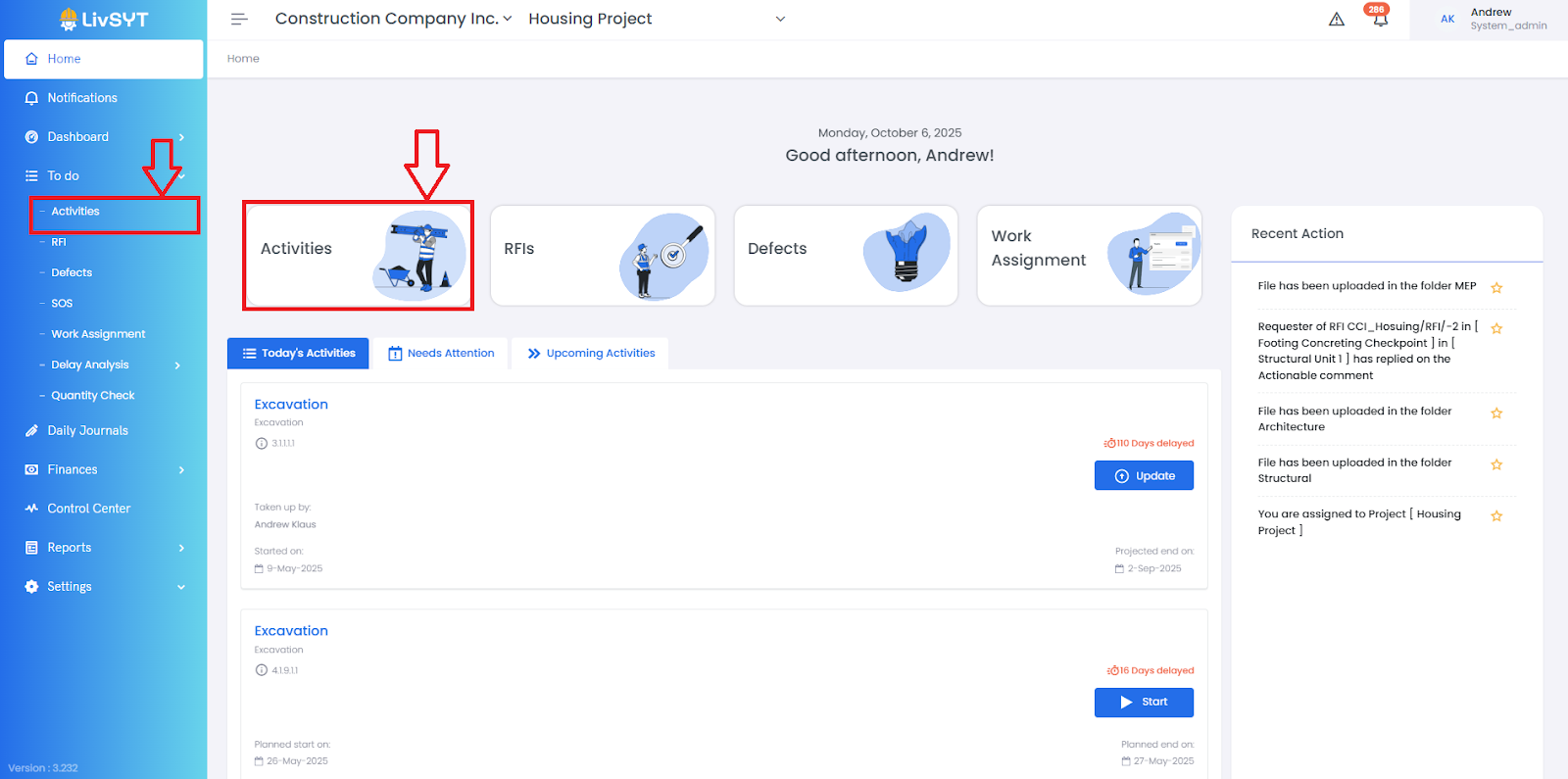
- From the Home page, click Activities.
- Or go to To-Do → Activities.
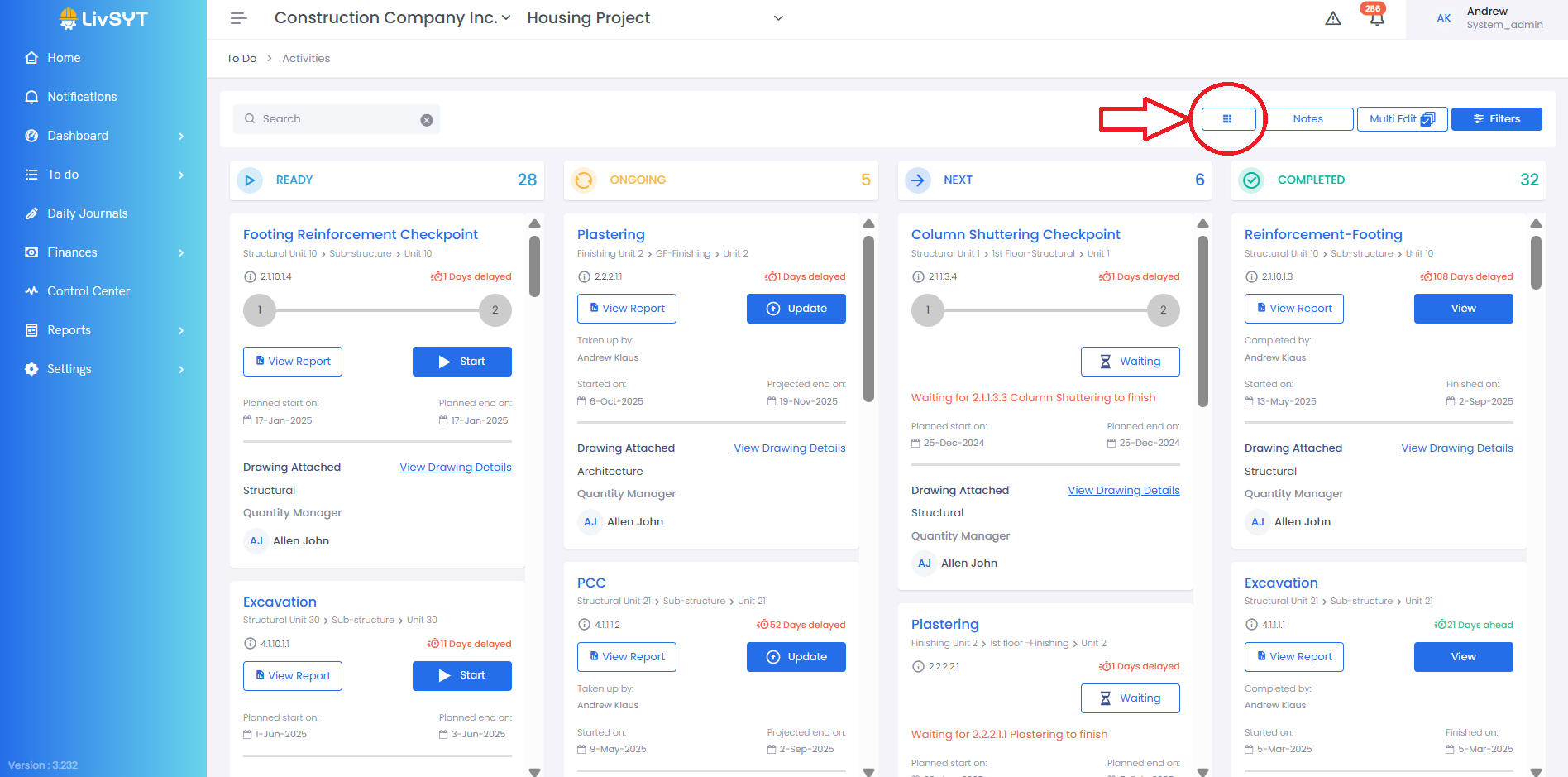
2. Go to Tabular View
- Click the nine-square (grid) icon next to the Notes icon.
- Activity Page will open up in Tabular View
3. Find the Activity
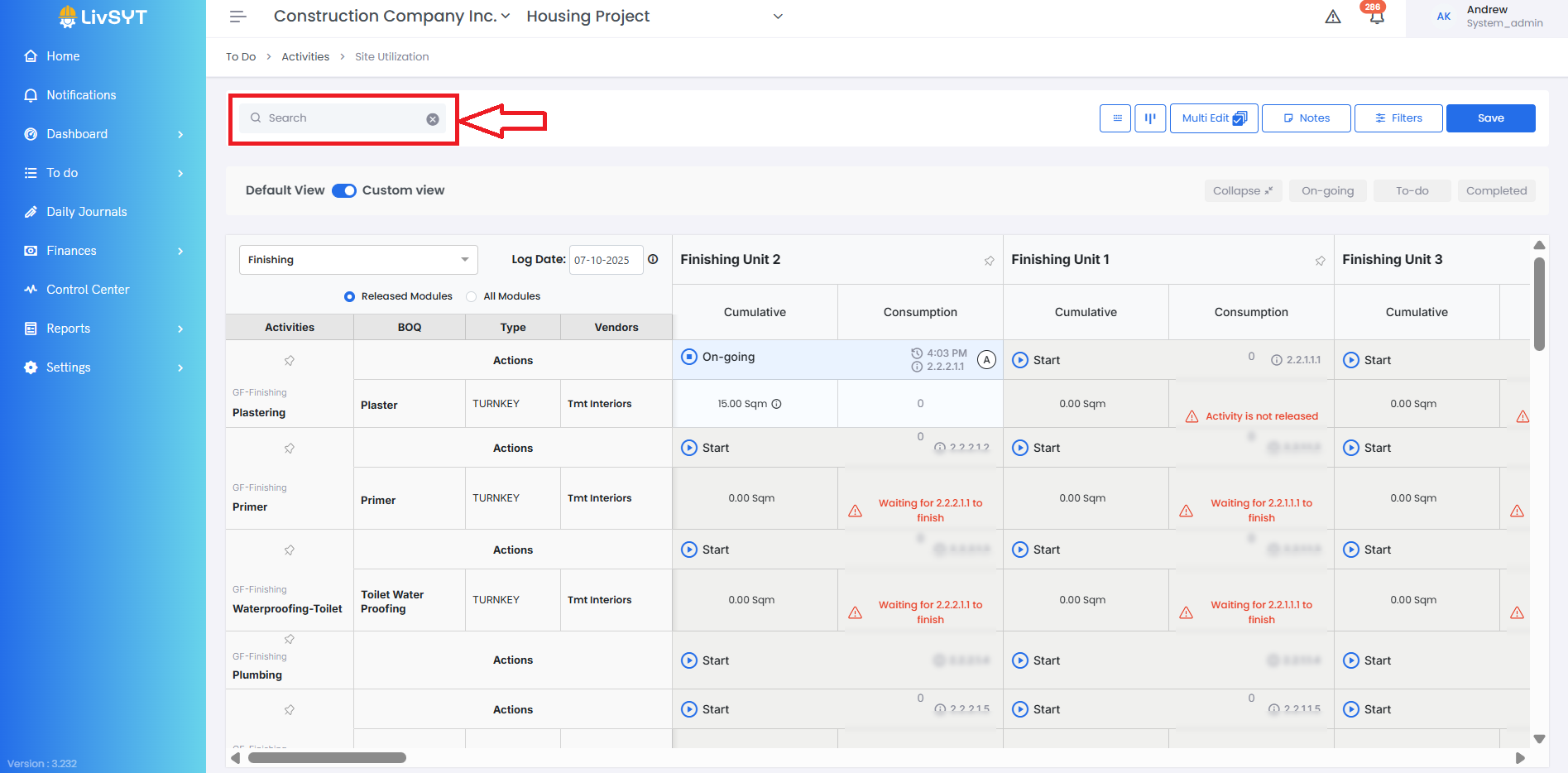
- Use the search bar to find the activity you want to update.
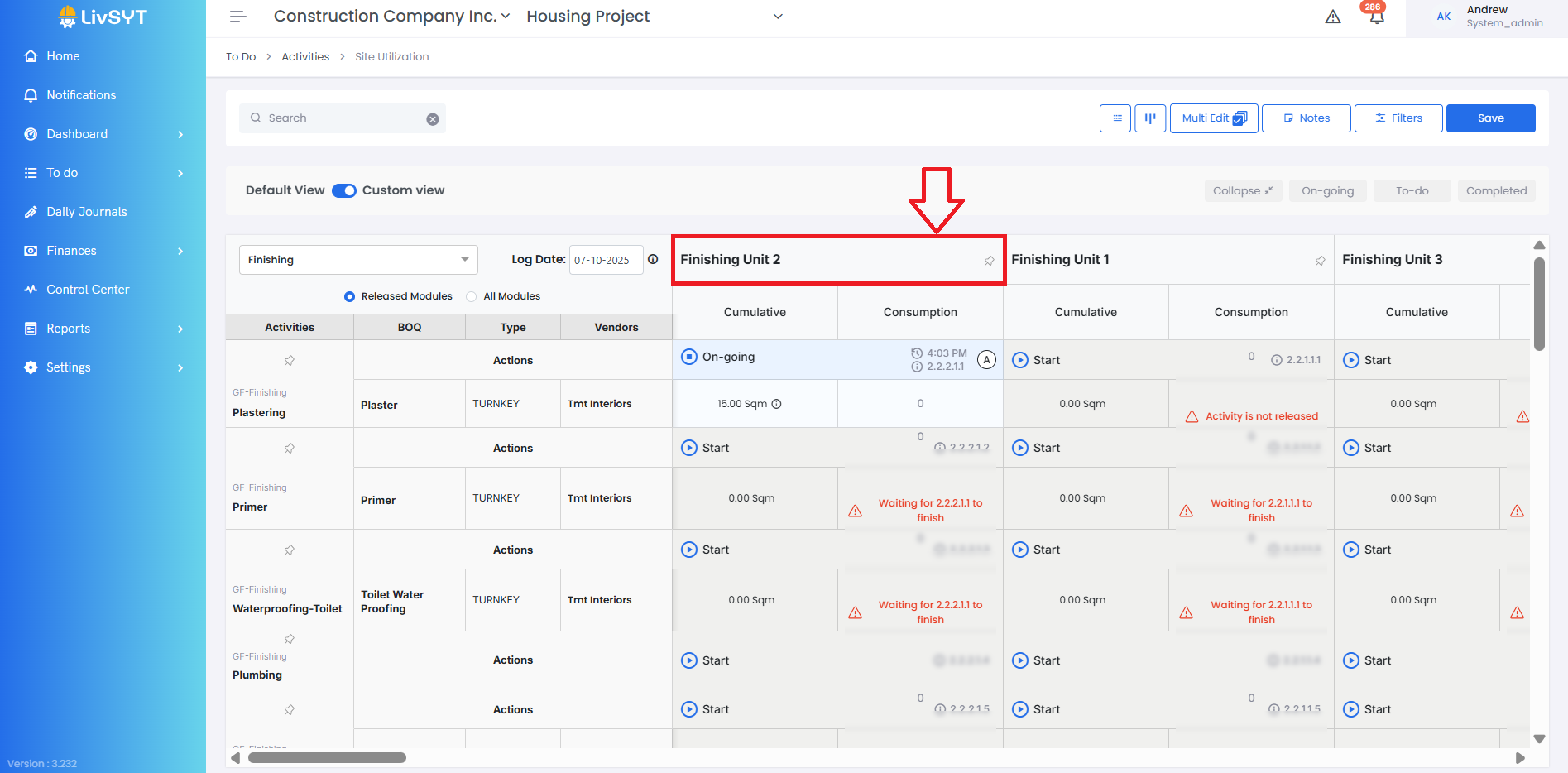
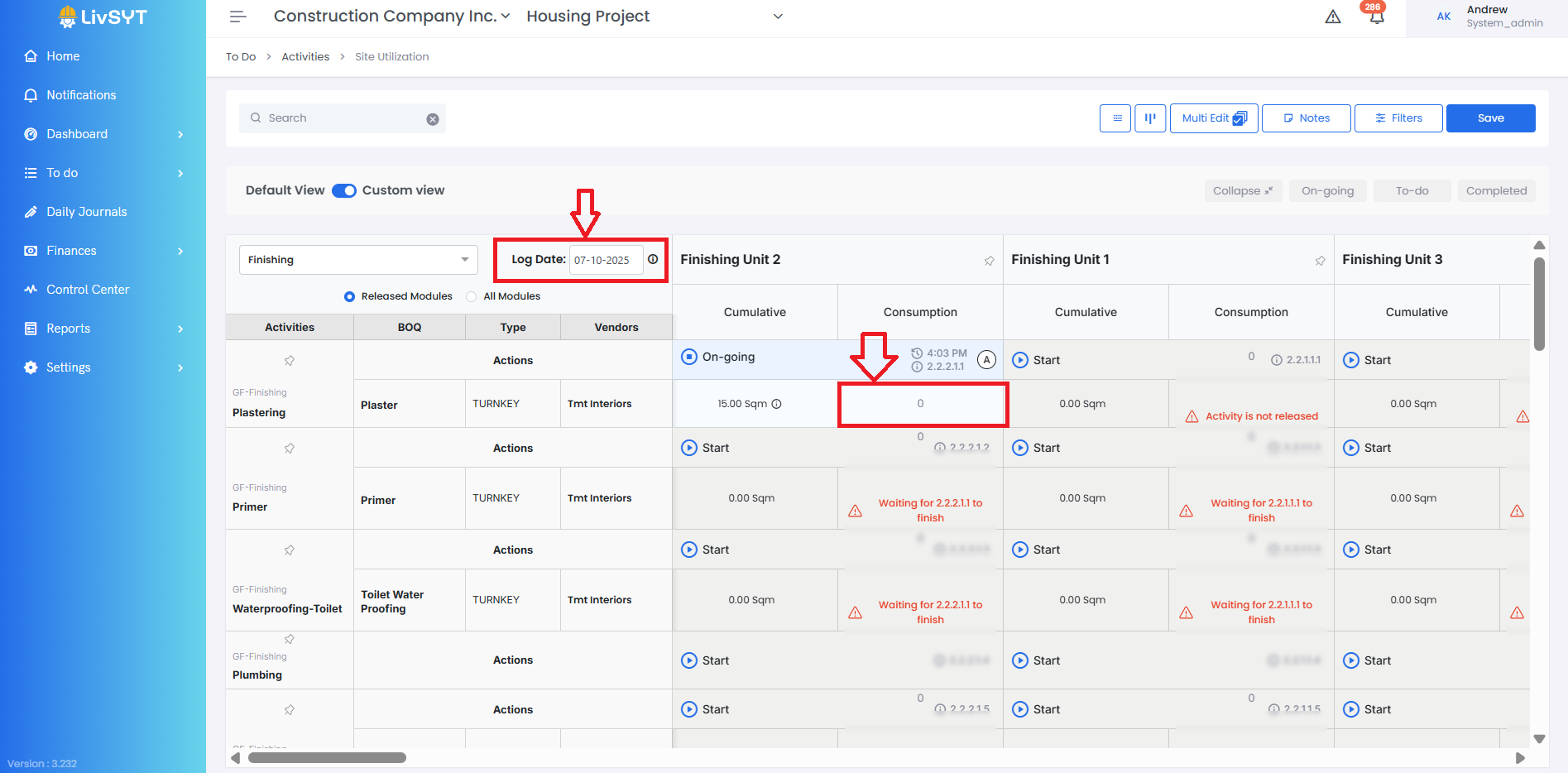
4. Select Module
- Choose the Module for which you want to record the update.
5. Enter Work Details
- Set the Log Date (the day when the work was done).
- Under the Consumption column, enter the quantity completed.
Tips & Best Practices
- Always make sure the Log Date has been set to the right date
- Make sure you are updating under the correct Module before saving
- For any issues, contact LivSYT Support.
Related Resources
What is Log Date?
How to update Quantity for an activity?
Was this article helpful?
That’s Great!
Thank you for your feedback
Sorry! We couldn't be helpful
Thank you for your feedback
Feedback sent
We appreciate your effort and will try to fix the article