Purpose:
Learn how to start or finish an activity in livSYT.
Step-by-Step Instructions:
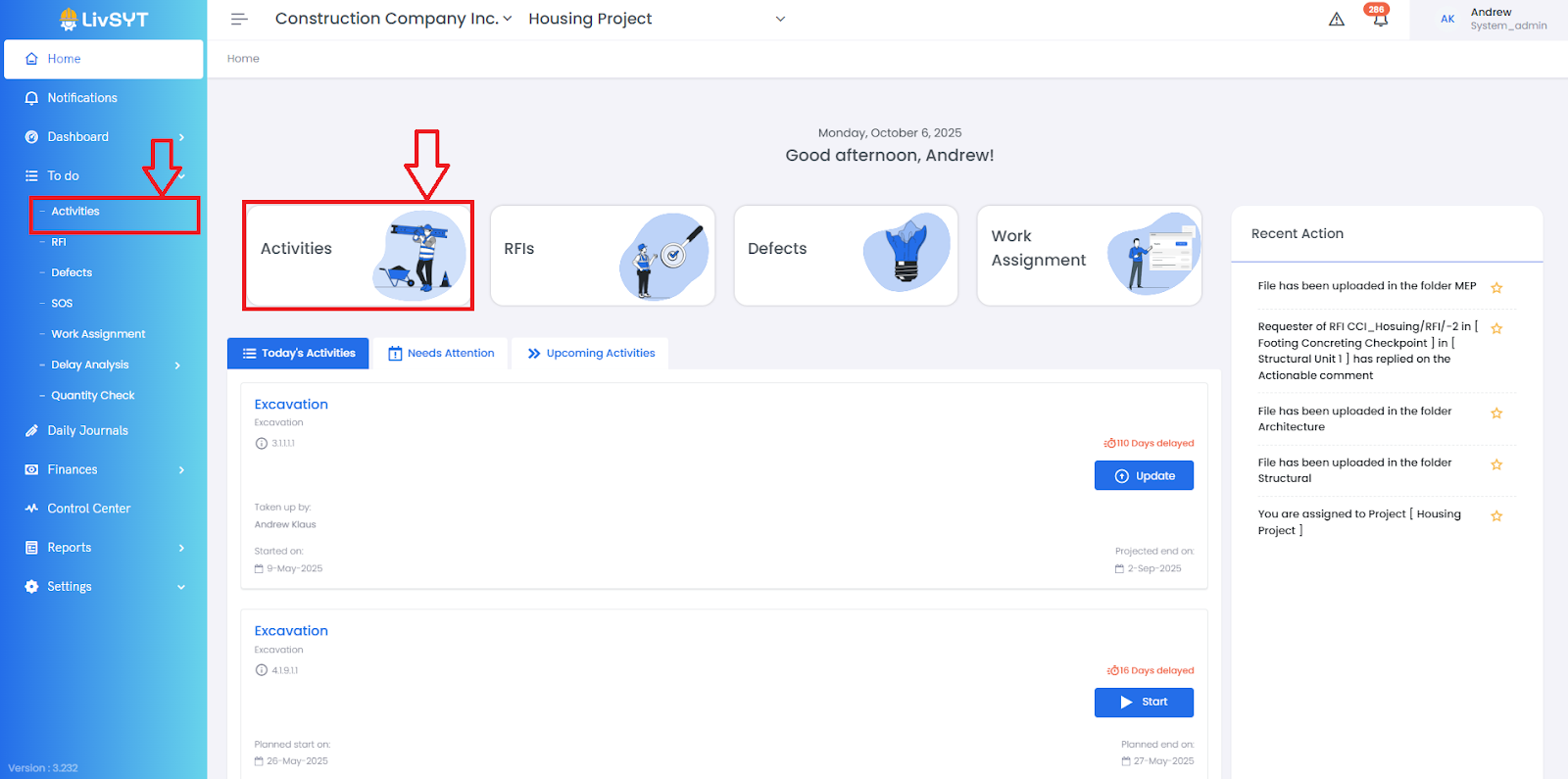
1. Open Activities Page
- From the Home page, click Activities.
- Or go to To-Do → Activities.
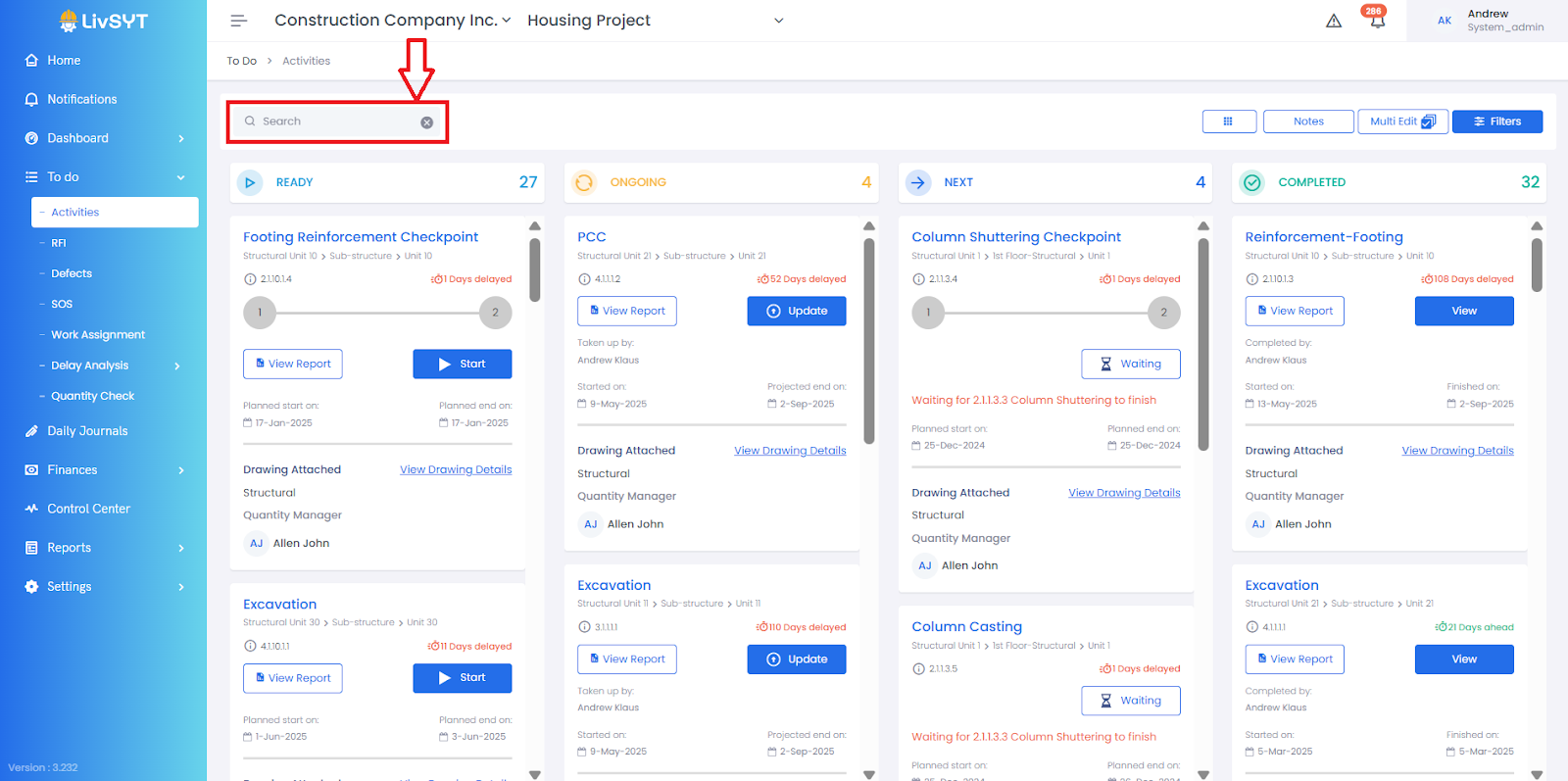
2. Find the Activity
- Type the activity name in the search bar.
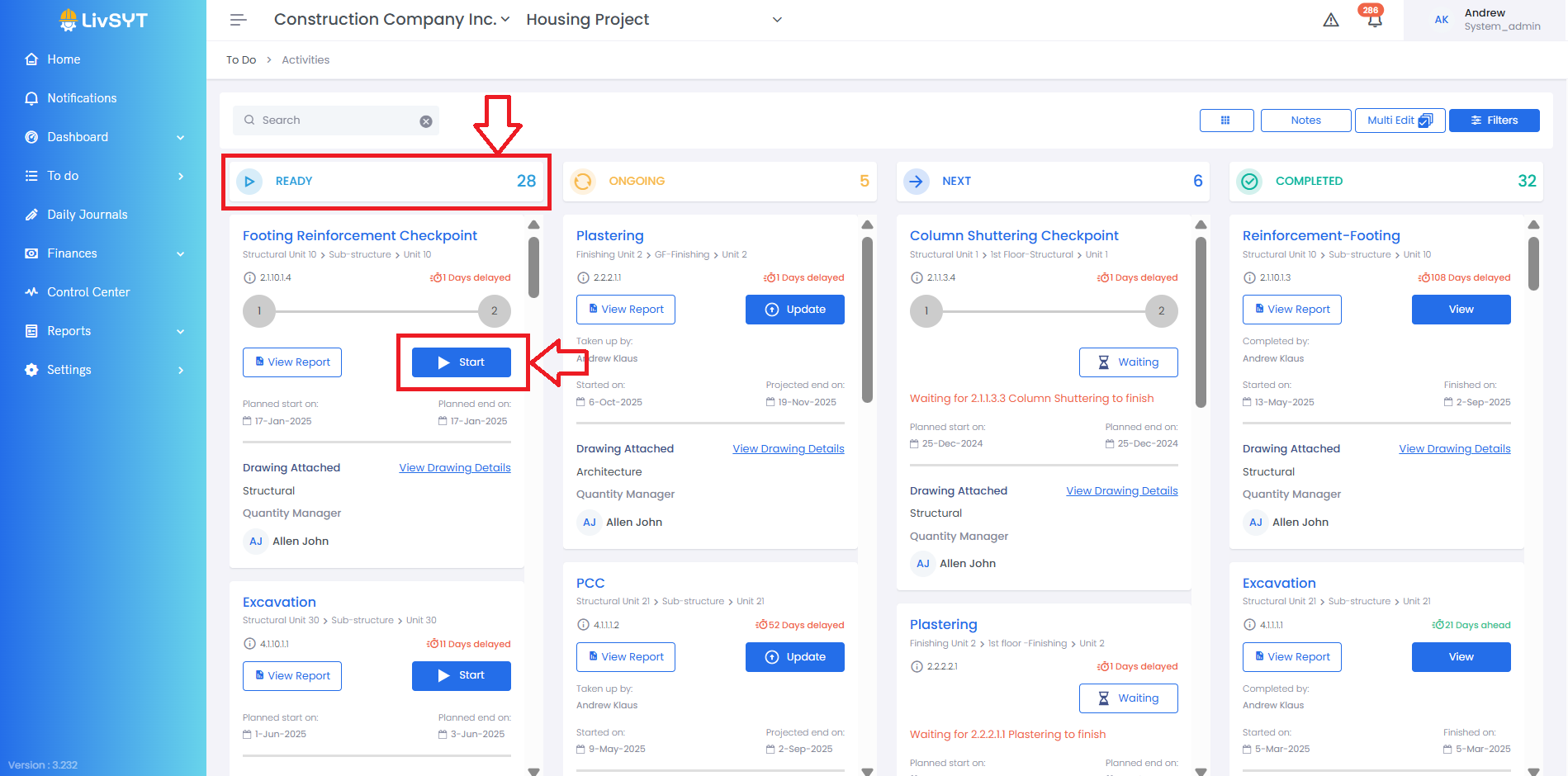
3. Start an Activity
- If the activity has not started, find it under the Ready section.
- Click Start to begin the activity.
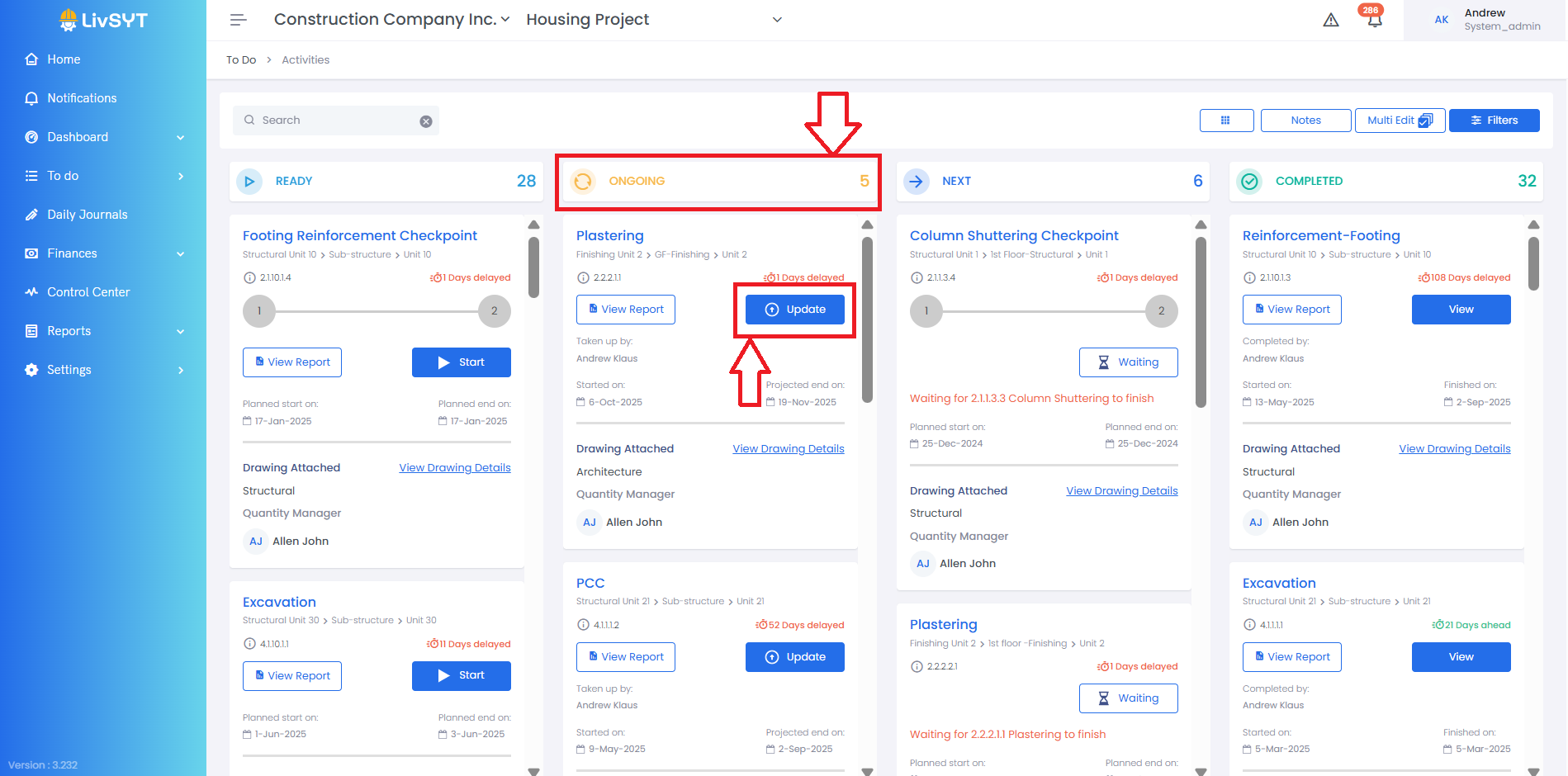
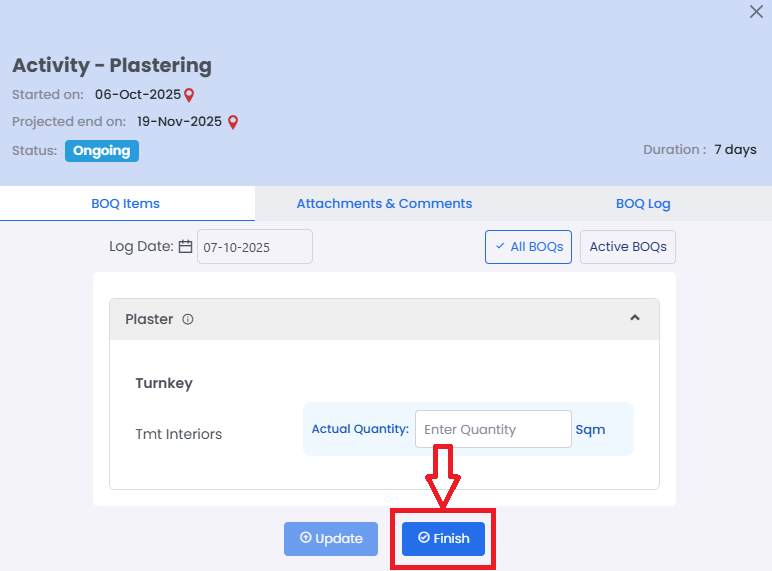
4. Finish an Activity
- If the activity is already Ongoing, click Update.
- Then click Finish when the work is completed.
Tips and Practices:
- Once an activity is finished, it cannot be undone
- For any issues, contact LivSYT Support.
Related Resources:
What to do if I have finished an activity but there is work to be updated?
Was this article helpful?
That’s Great!
Thank you for your feedback
Sorry! We couldn't be helpful
Thank you for your feedback
Feedback sent
We appreciate your effort and will try to fix the article