Purpose:
To clarify how the inspection raisers can mark the inspection as invalid?
Step-by-Step Instructions:
1. Open the Inspection section
- On the Home Page, click on Inspection.
- Go to the Open section and select the Inspection you want to review.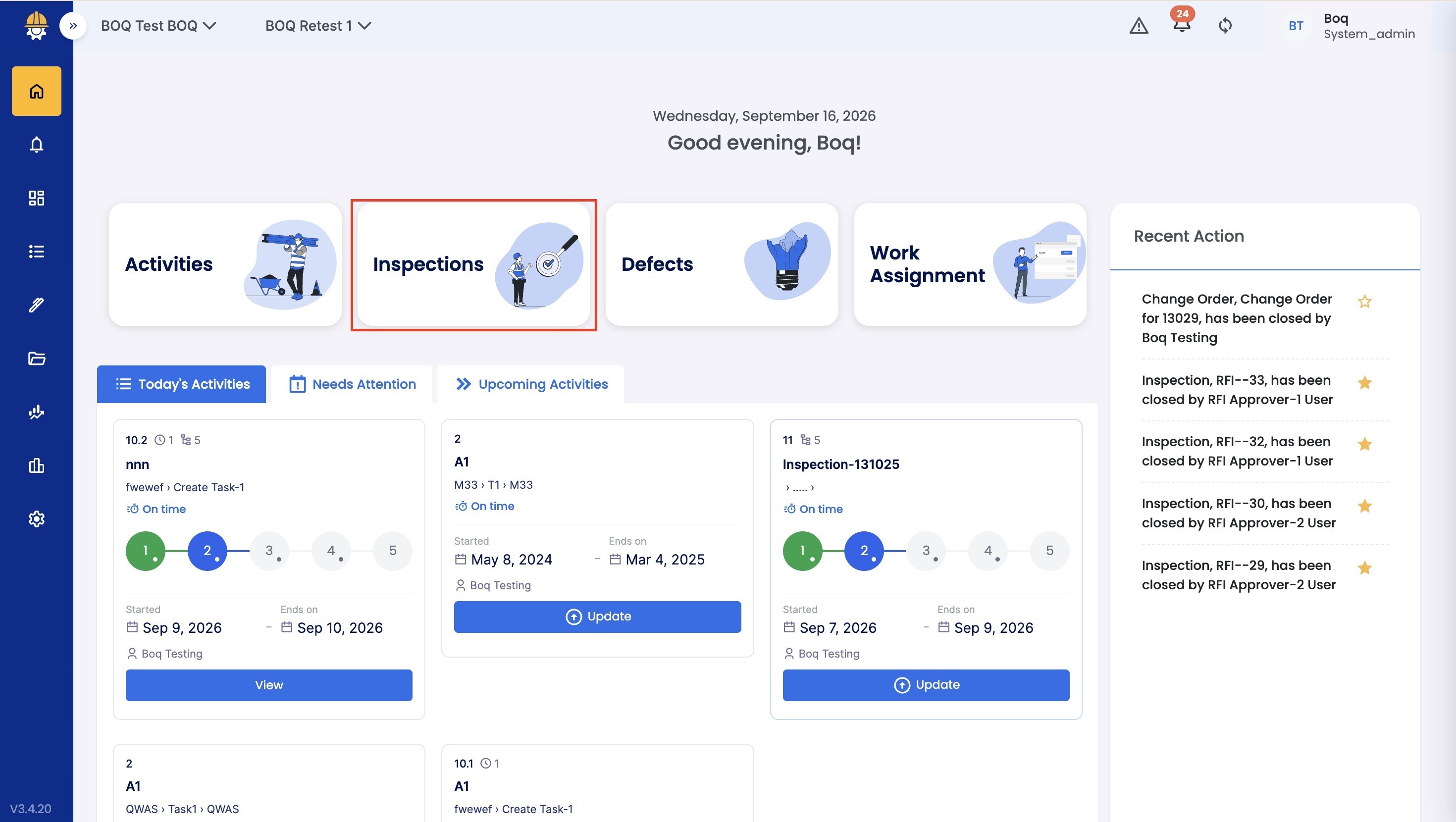 2. Review the Inspection details
- The Inspection that is pending with the Approver will appear under the Open tab.
- The Inspection that is pending with Lead Approver or Lead Requester will appear under the Raised tab
- Select the Inspection to view its details.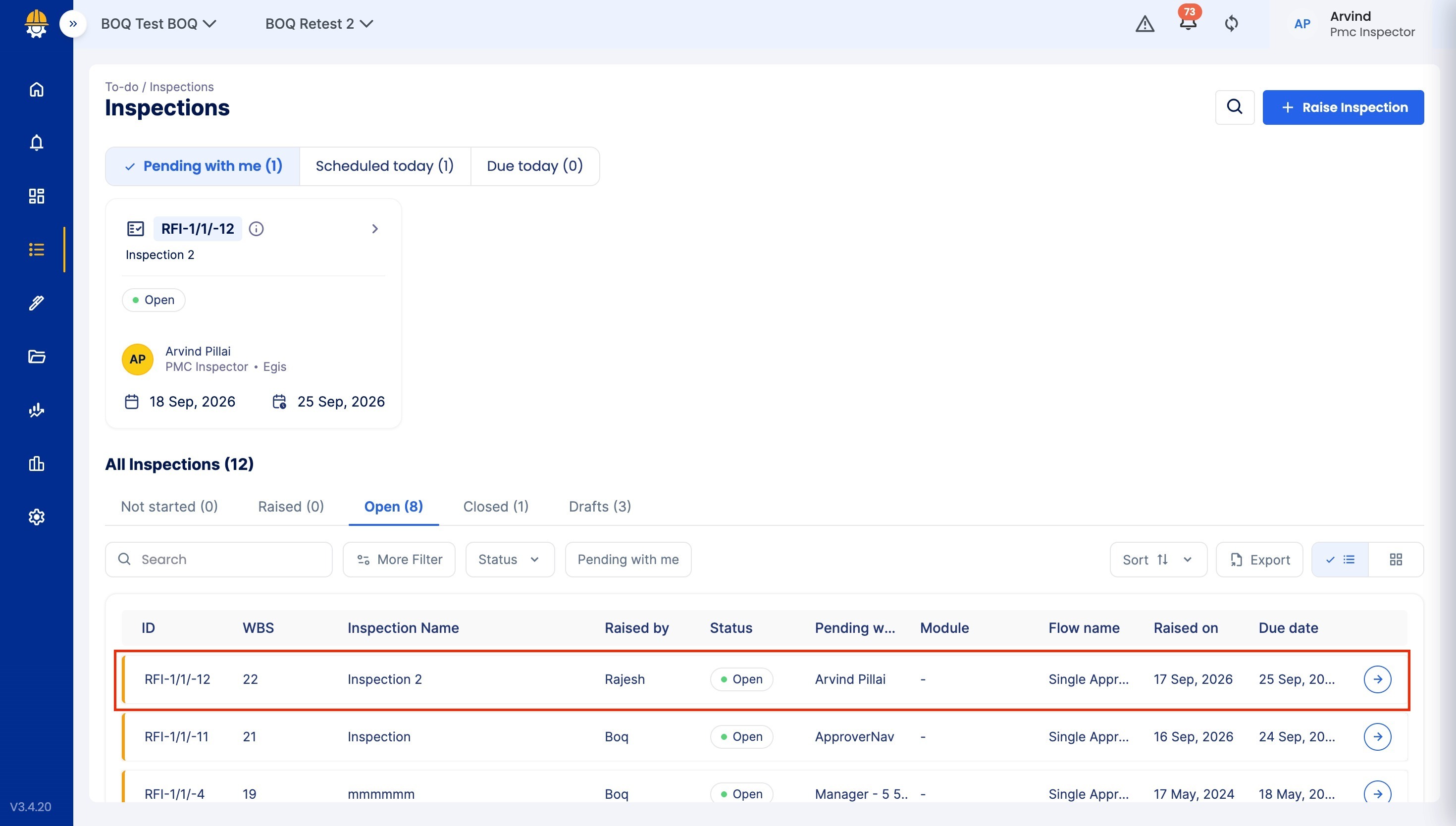
3. Mark the Inspection as Invalid
- Click on Other Actions and Choose Mark as Invalid
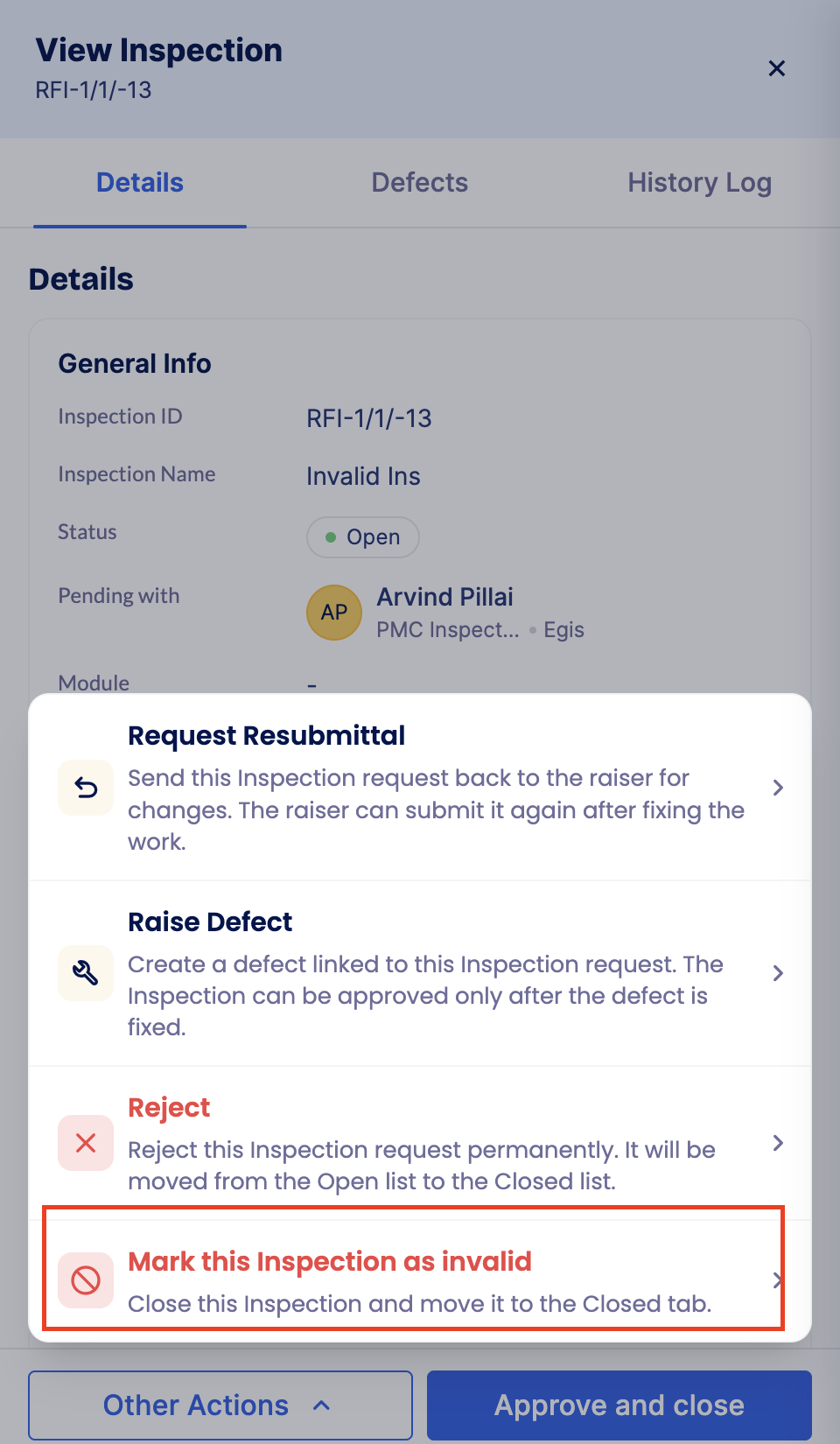
- This is only available for the Raiser of the Inspection, not the Approver
- Reach out to the Help and Support team for further assistance.
Related Resources:
How to Raise an Inspection?
How to reject an Inspection?
Was this article helpful?
That’s Great!
Thank you for your feedback
Sorry! We couldn't be helpful
Thank you for your feedback
Feedback sent
We appreciate your effort and will try to fix the article