Purpose:
To explain how users can resolve an existing Actionable Inspection.
Video Walkthrough:
How to Resolve an Existing Actionable Inspection
Step-by-Step Instructions:
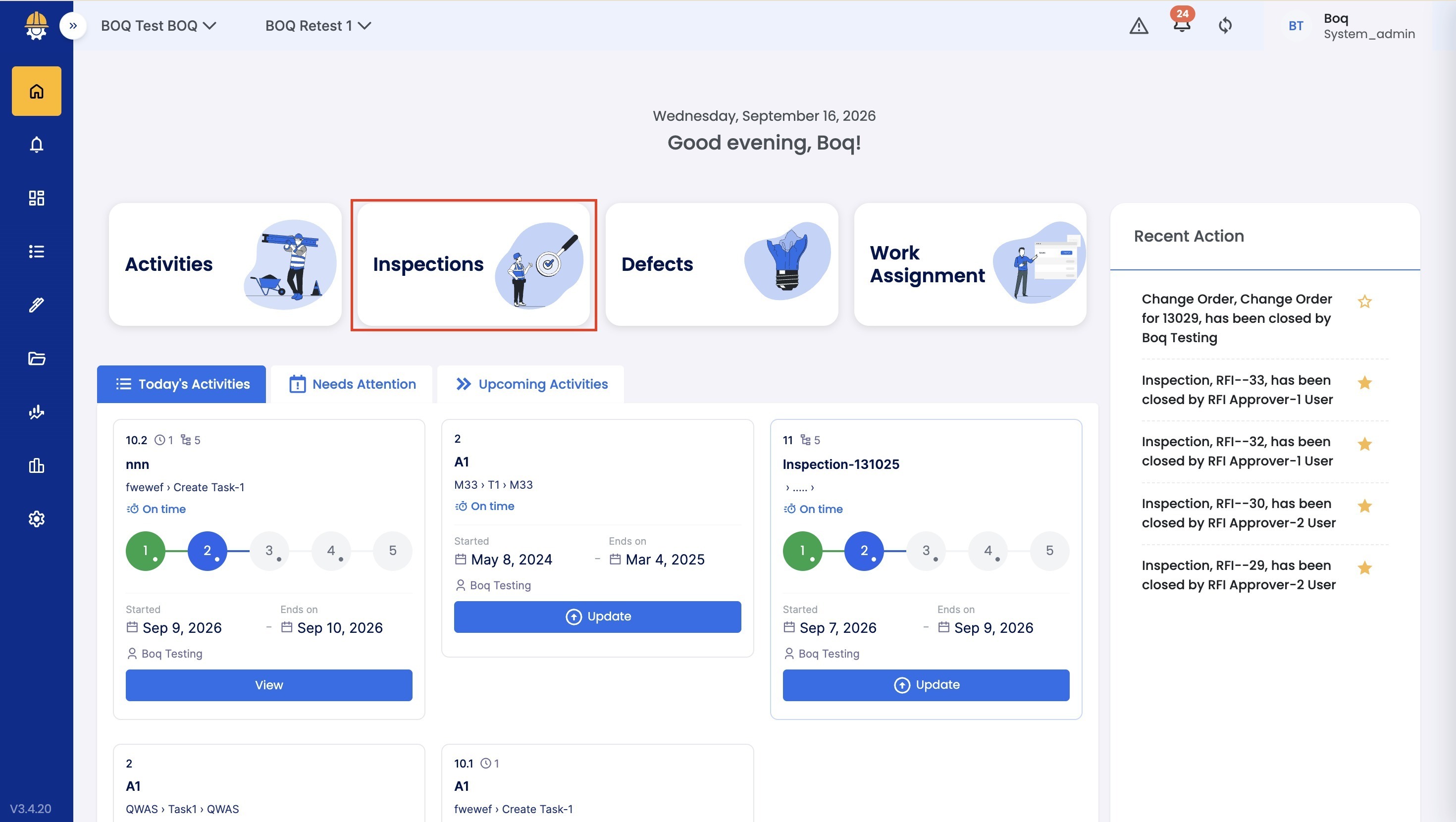
- On the Home Page, click on Inspection.
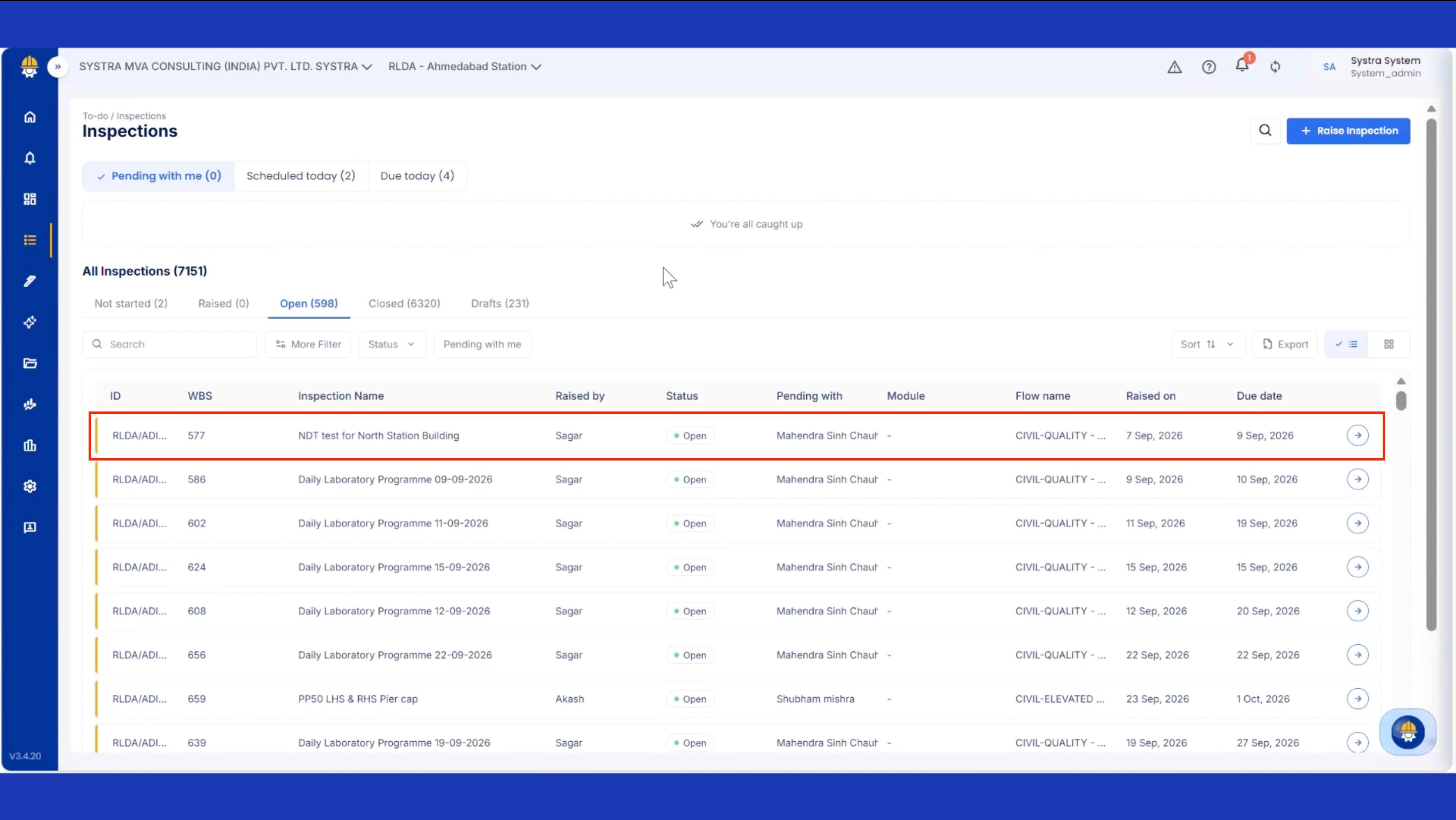
- Go to the Open section and select the Inspection you want to review.
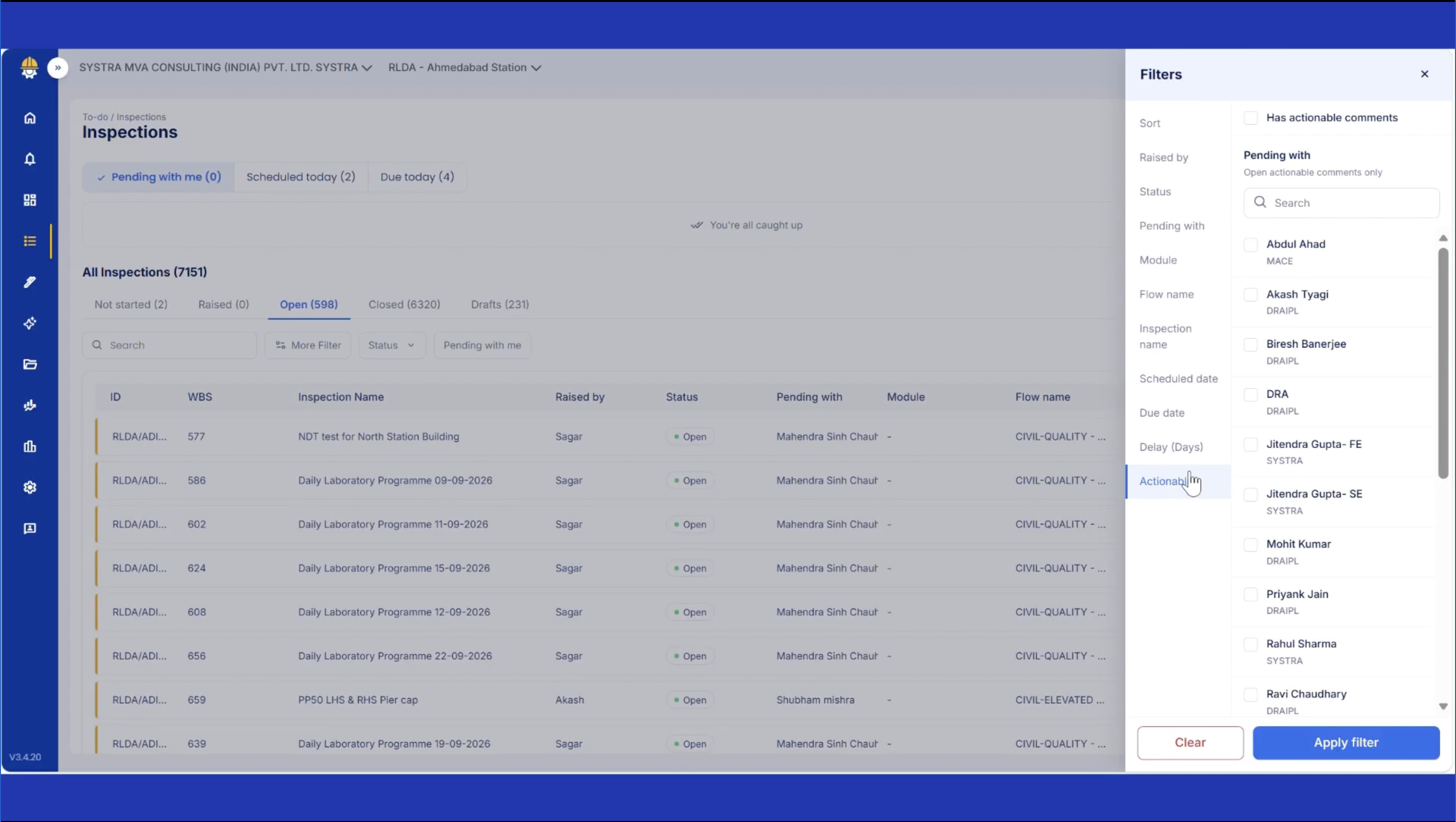
- Click on Actionable Filter to identify the existing Actionable Inspections
- The Inspection details section will open on the right side of the screen.
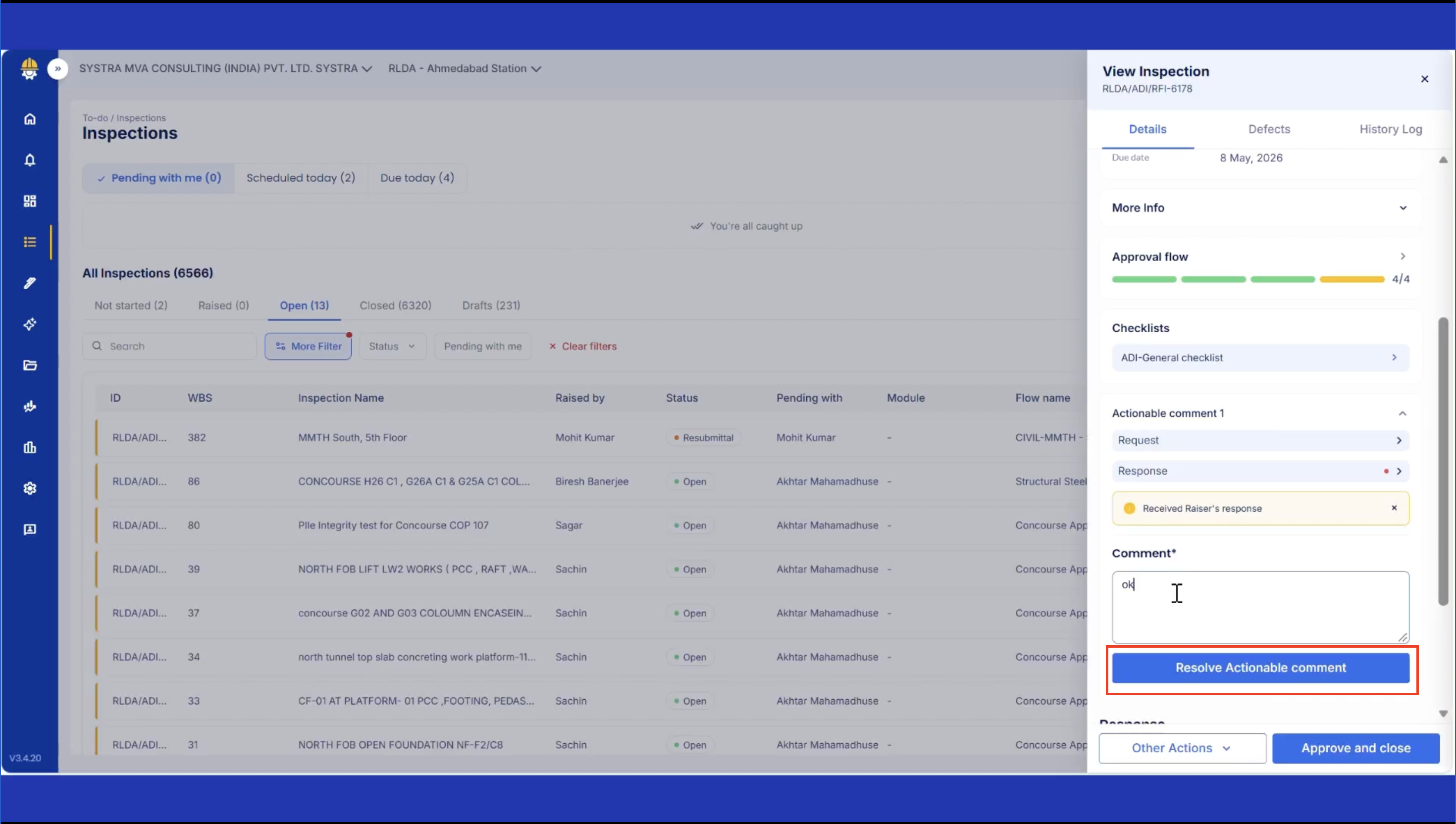
- In the side Panel, add a comment and Click on Resolve Actionable Comment
- If you want to re-do the Inspection, click on Other Actions -> Request Re-submittal
Tips & Best Practices:
- Communicate with the responsible user to confirm the follow-up action has been taken.
- For any issues, contact LivSYT Support.
Related Resources:
How to Raise an Inspection?
How to Approve an Inspection?
Was this article helpful?
That’s Great!
Thank you for your feedback
Sorry! We couldn't be helpful
Thank you for your feedback
Feedback sent
We appreciate your effort and will try to fix the article