Purpose: To guide users on how to review and reject an Inspection when it does not meet the required quality or conditions.
Video Walkthrough:
Step-by-Step Instructions:
1. Open the Inspection section
- On the Home Page, click on Inspection.
- Go to the Open section and select the Inspection you want to review.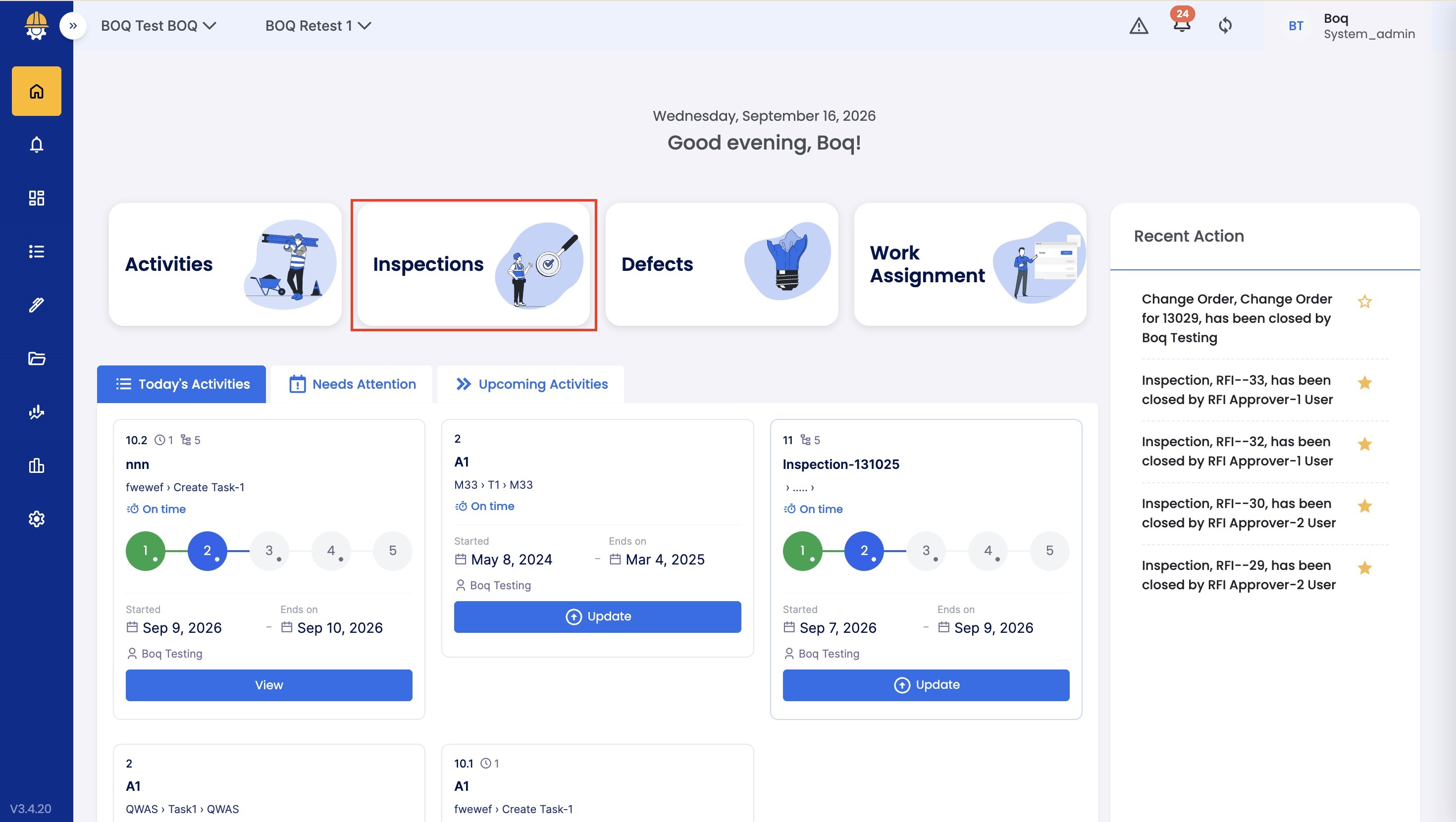 2. Review the Inspection details
- The Inspection that is pending with the Approver will appear under the Open tab.
- Select the Inspection to view its details.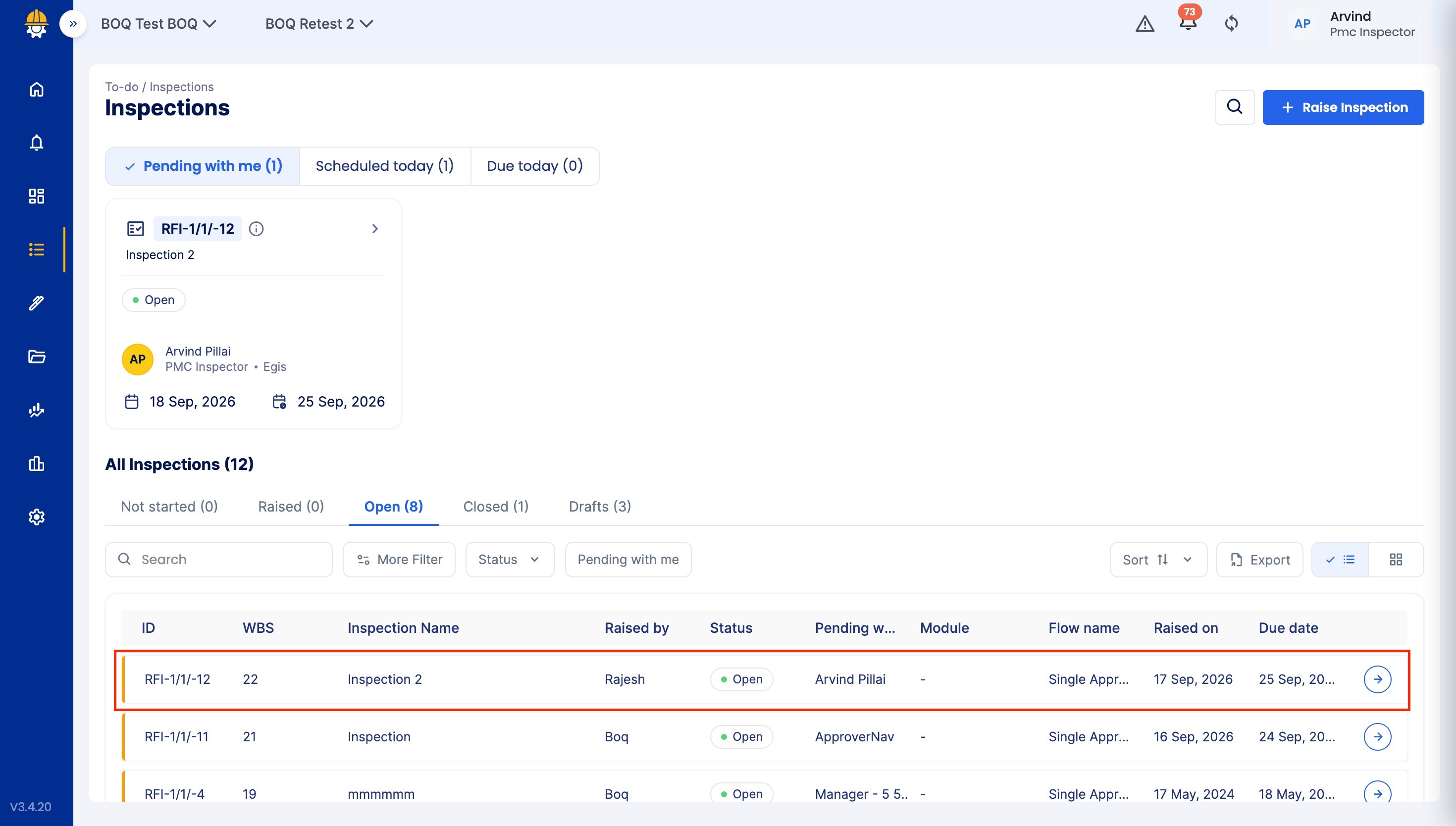
3. Raise defects if needed
- If you find issues, you can raise a Defect by clicking on Other Actions
- By clicking on the Raise Defect button.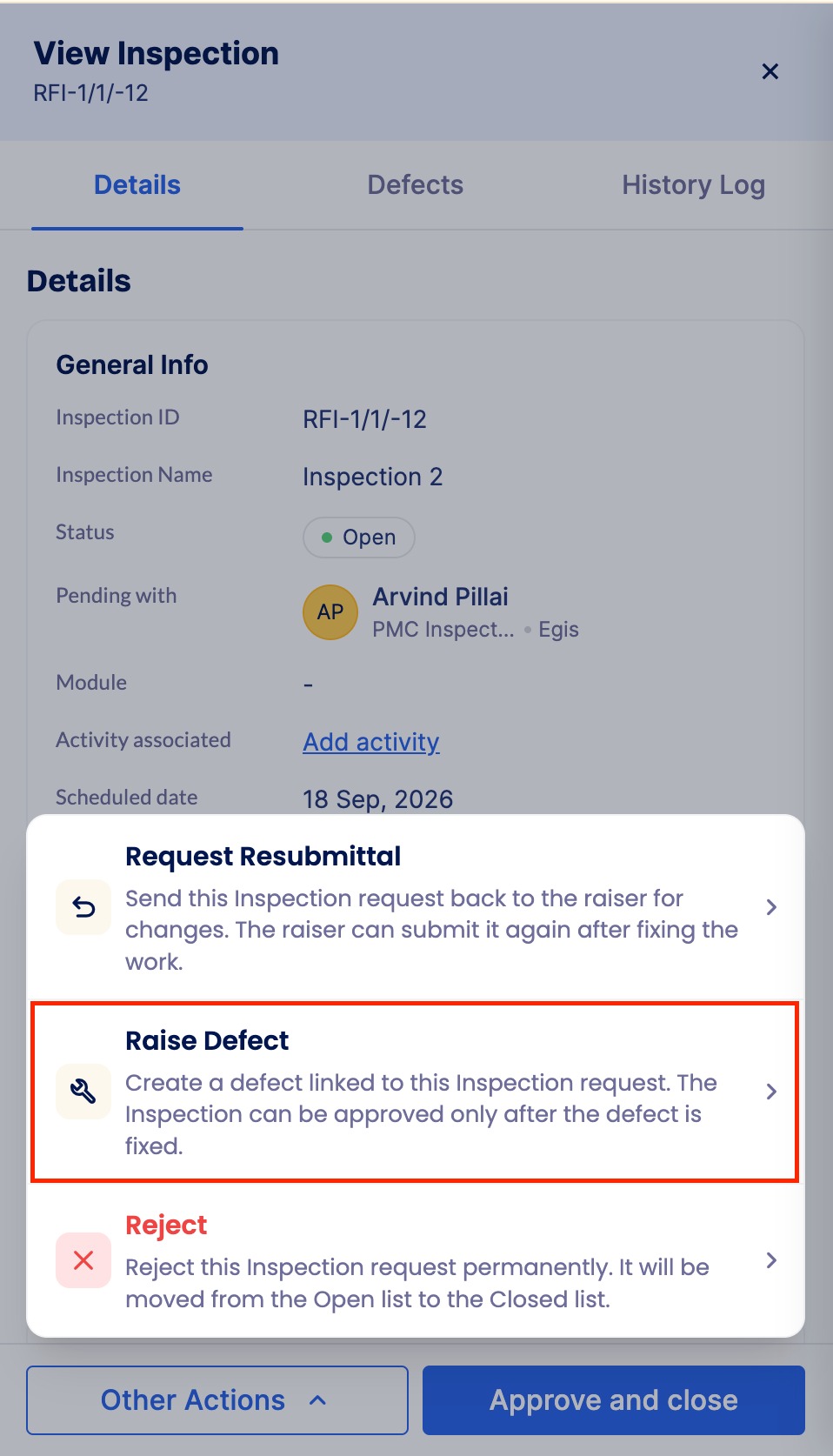
4. Check the History log
- Click on the History Log section to view the Inspection's timeline, including date and time stamps.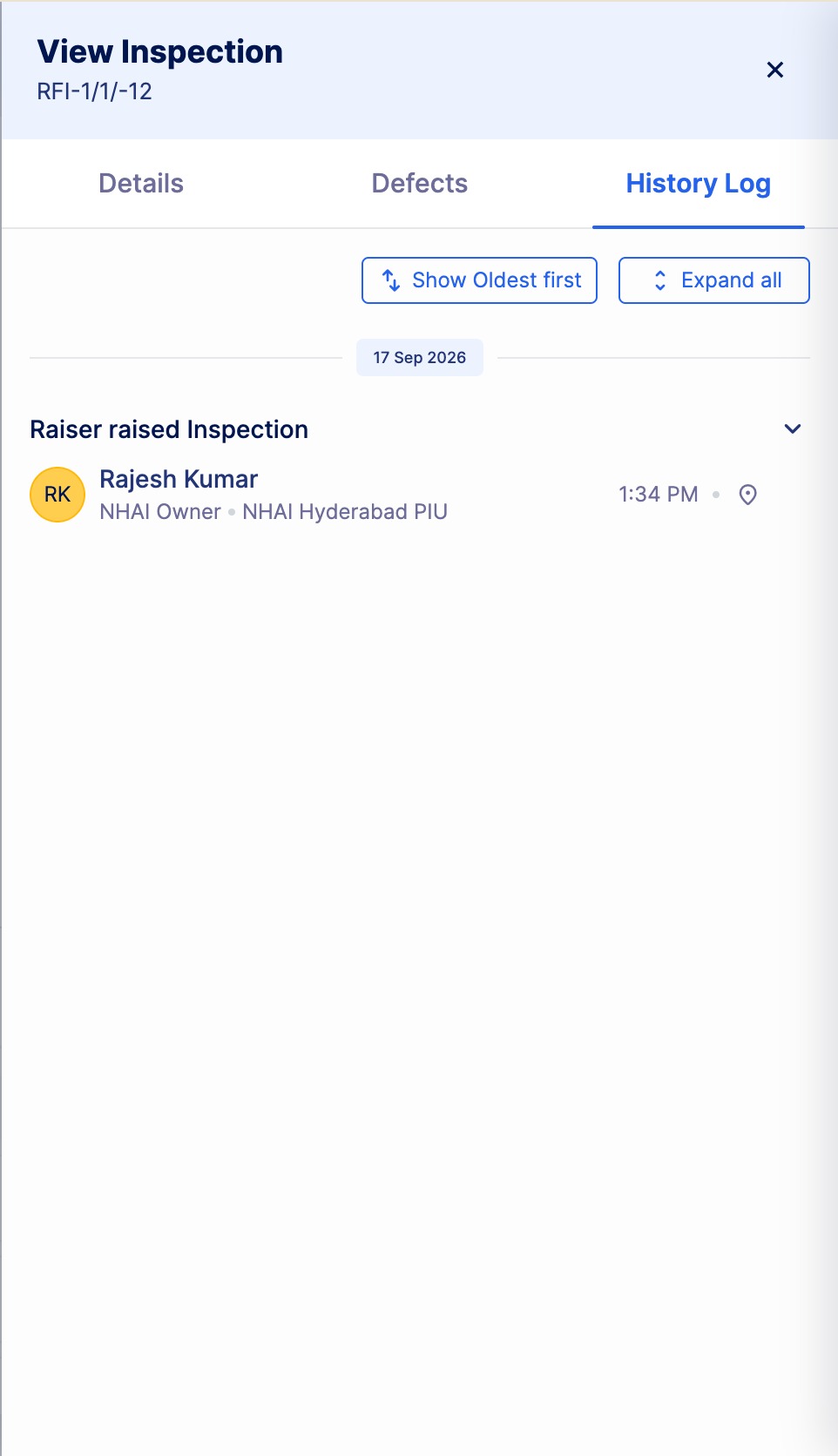 5. Reject the Inspection
- Based on the inspection results, you can Reject by clicking on Other Actions -> Reject.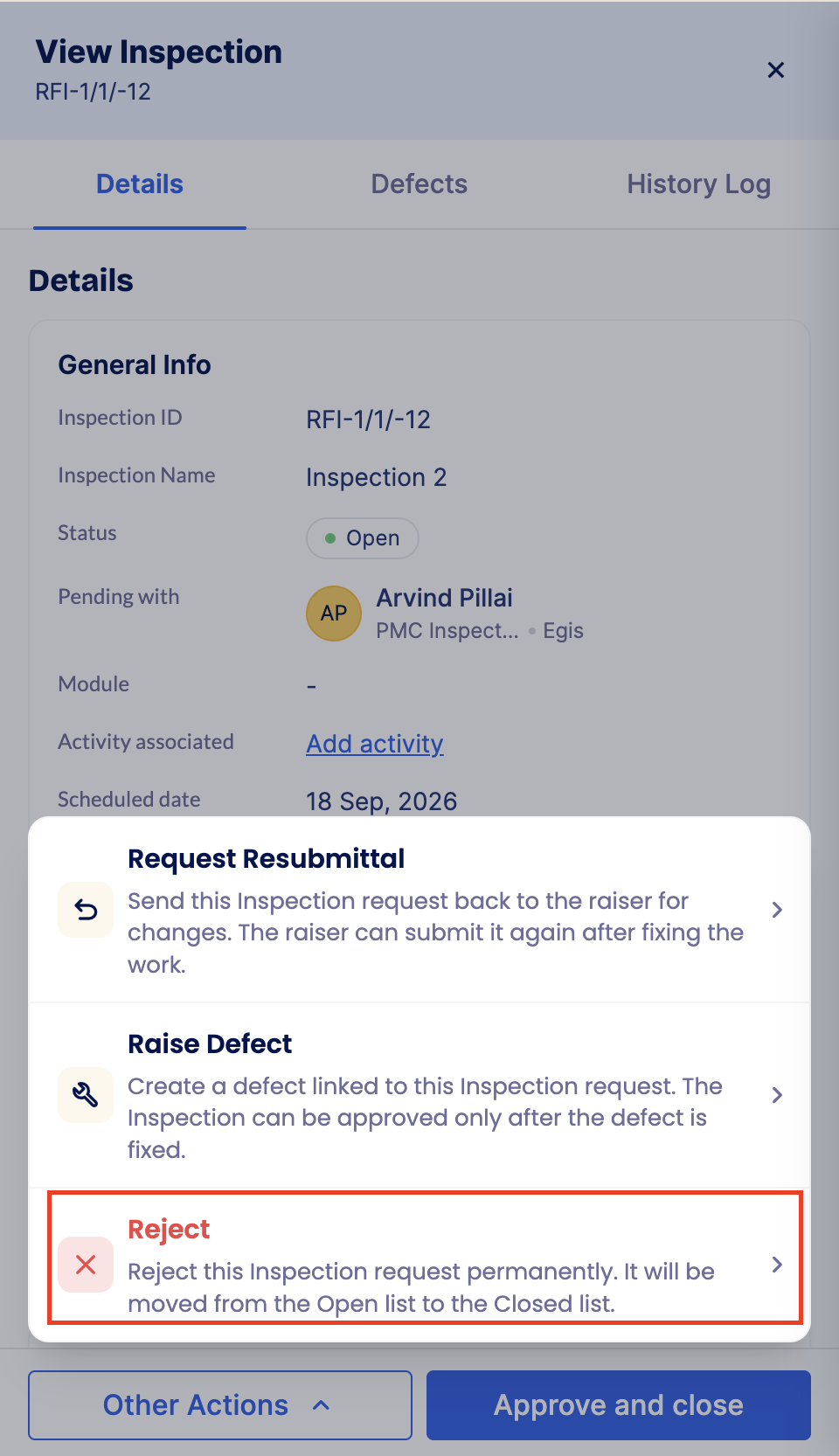
Tips & Practices:
- Always mention a clear reason for rejection so the submitter knows what to fix.
- Check all attachments and checklist details before rejecting.
- Use the Raise Defect option for specific issues instead of rejecting the entire Inspection when possible.
- Review the Log section to confirm previous actions before making a final decision.
- Communicate politely and clearly to help close Inspections faster and avoid repeated submissions.
- For any issues, contact LivSYT Support.
Related Resources:
How to Raise an Inspection?
How to Approve an Inspection?
Was this article helpful?
That’s Great!
Thank you for your feedback
Sorry! We couldn't be helpful
Thank you for your feedback
Feedback sent
We appreciate your effort and will try to fix the article